
How Much to Build a Custom Gaming PC: A Complete Guide
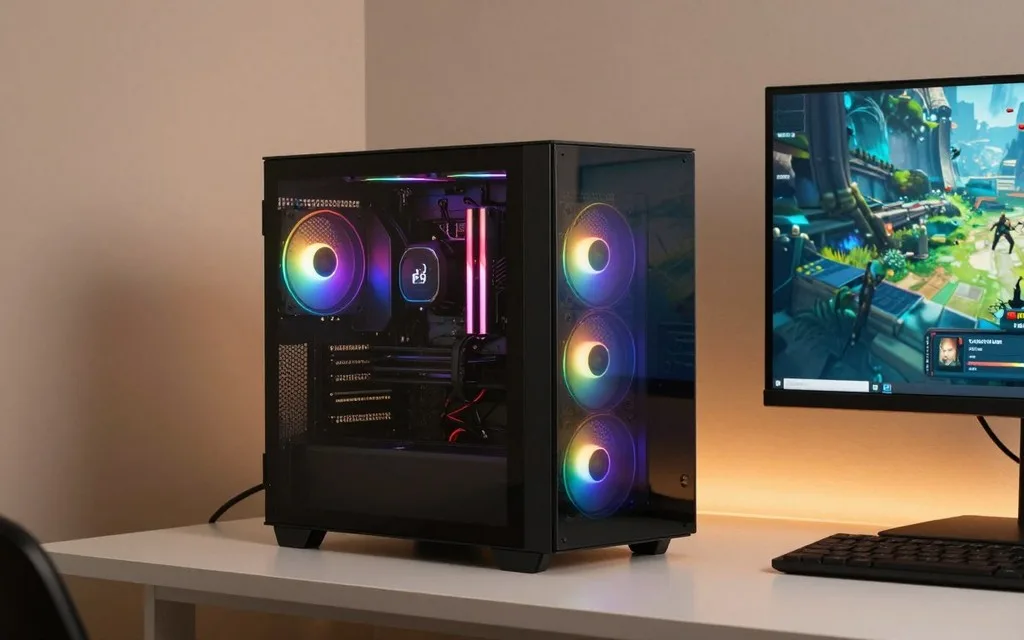
A custom gaming PC can cost hundreds or several thousand dollars, and the right budget depends on what you want it to do. Your games, performance goals, parts selection, and whether you need a full gaming setup all affect the price. A full gaming setup includes the PC, monitor, and peripherals.
Frame rate is the number of images a computer displays per second, usually measured in frames per second (fps). The PC tower and a complete setup are different purchases, so decide which one your budget needs to cover. You can use this guide to set a realistic budget, understand the parts that shape cost, and compare your options before you spend money.
Your experience with PC hardware does not need to be extensive to make a sound plan. Start with the games you play, the resolution you want, and the amount you can spend. Then consider what can wait, such as a larger SSD or a faster monitor.
Key Takeaways
- Set your budget around the games and resolution you want.
- Separate the PC tower cost from the full gaming setup cost.
- Check that every component works with the motherboard and case.
- Include software, shipping, tax, and other required costs in your total.
- Compare a complete DIY parts cart with a prebuilt system.
Set a target resolution and the games you care about before shopping, so you can judge each part by its role.
How Much to Build a Custom Gaming PC?
A practical planning range runs from about $700 for an entry-level build to $3,500 or more for a high-end one, while specific parts can push a PC beyond that range. The right tier depends on your gaming goals and which parts your budget can cover. Treat these figures as starting points, not quotes.
PC-only estimates exclude the OS and peripherals. Your monitor, keyboard, mouse, headset, and software can change the total amount you need. A tower estimate also depends on current component prices and the exact configuration you choose.
What each budget tier can cover
In 2026, estimated entry-level gaming builds ranged from $700-$1,000. Mid-range builds ranged from $1,300-$1,900, while high-end builds ranged from $2,000-$3,500 or more.
These tiers are planning categories, not guaranteed quotes or frame-rate promises. A particular GPU, RAM kit, or price change can move your total. A higher tier also does not guarantee better results in every game or at every setting.
Use a tier to set a spending boundary, not to predict a specific frame rate.
Example PC costs in October 2026
The October 2026 estimates below show how different configurations can change the tower cost. Each estimate covers new PC parts and excludes the OS and peripherals.
| Configuration | Estimated PC cost | Included RAM | Estimate condition |
|---|---|---|---|
| Radeon RX 7600 | $1,182 | 16GB | New parts, before OS and peripherals |
| GeForce RTX 5060 Ti 8GB | $1,452 | 16GB | New parts, before OS and peripherals |
| GeForce RTX 5060 Ti 16GB | $2,189 | 32GB | New parts, before OS and peripherals |
| Radeon RX 9070 XT | $2,505 | 32GB | Uses an $849 GPU estimate; retailers sold the card for at least $1,100 |
| GeForce RTX 5080 | $4,695 | 32GB | New parts, before OS and peripherals |
The RX 9070 XT example shows why a component estimate may differ from the price you find. Its $849 GPU estimate was below the retail price of at least $1,100 in October 2026.
Compare the same parts list across retailers, and make sure each price refers to the same model and capacity. A small price difference on several components can add up across a complete build. Reprice the exact configuration before treating any estimate as a spending limit.
https://www.youtube.com/watch?v=SJL4MWgr2Tc
Which Components Drive the Gaming PC Cost?
For most gaming builds, the graphics card is the part that most directly determines resolution and visual performance. It renders the game’s graphics, so it often has the largest effect on frame rates. For gaming first, prioritize the GPU while leaving room for the other components that make the system work.
A 2026 budget-build recommendation puts 35-40% of the budget toward the GPU, 15-20% toward the processor, and 10-12% toward the power supply. Those shares are one approach, not a rule for every build. Prices, gaming goals, and the rest of your parts can shift the balance.
Put the graphics card first
Graphics cards vary in price, memory, and power use. In 2026, the AMD Radeon RX 7600 was listed at $220, with 8GB of video memory (VRAM) and a 165W power draw. The Intel Arc B580 was listed at $310 with 12GB of VRAM.
Other 2026 examples include the AMD Radeon RX 9060 XT 8GB at $360 and the Nvidia GeForce RTX 5060 Ti 8GB at $400. These prices show why the GPU can take a substantial share of the budget. Compare the models against the games and resolution you want, rather than picking by price alone.
Match the CPU to the graphics card
The CPU handles game logic, background tasks, and instructions that support the GPU. It can matter more when you aim for high frame rates, especially in games that rely heavily on the processor. A costly CPU is not automatically the best match for a lower-cost graphics card.
In 2026, the Intel Core i3-14100F was listed at $99 with four cores and eight threads. The AMD Ryzen 5 7500F was listed at $148 with six cores and 12 threads, while the Ryzen 5 9600X was listed at $180 with the same core and thread counts.
Budget for the supporting parts
A case and motherboard matter, but they do not need to absorb the largest share of a gaming budget. A 2026 budget-build estimate put a mid-tower case with decent airflow at $40-$60 and a B650 or B760 motherboard at $90-$120.
Cooling and a suitable PSU help the system run reliably, and the PSU must match the build’s power needs. A cheaper case can work if it fits the hardware and moves air well. A motherboard with extra features may be worth the added cost only when you will use them.
The same CPU can behave differently across games and workloads, so compare actual test results rather than relying on core counts alone. Compare measured results in the games you play before paying extra for a higher-tier CPU.
How Much RAM and Storage Do You Need?
Choose RAM capacity for the games and background tasks you actually run, not just for a bigger number on the box. Capacity helps when memory is tight, but adding RAM does not automatically raise frame rates. Your choice should fit the games, applications, and budget you have in mind.
Sixteen gigabytes can suit a tighter build, while 32GB gives more room for demanding games and active background apps. Neither capacity guarantees a particular gaming result. If your system already has enough memory for its workload, extra capacity may not change performance.

Choose a compatible memory capacity
A 2026 budget-build recommendation used 16GB of DDR5 as a matched 2x8GB kit, rather than a single stick. Another gaming-build recommendation used 32GB of DDR5-6000 as a matched 2x16GB kit. These are different build approaches, not a claim that every gamer needs the larger kit.
Memory prices also vary by build and by the kit selected. In October 2026, a 16GB DDR5 kit in a budget PC estimate cost $258. The 32GB kits in the estimates ranged from $369 to $495, with different configurations and systems. Compare the kit’s capacity and specifications, not just its price.
Size storage for your game library
A 1TB NVMe drive was recommended for a 2026 budget build. The right capacity depends on how many games you keep installed and how much room you want for other files. A large game library can fill a drive quickly, while a smaller collection may leave space for future installs.
Check the SSD interface your motherboard supports before choosing a drive. NVMe drives use a compatible M.2 slot, while other SSD types can connect differently. Faster advertised sequential speeds do not guarantee a noticeable change to every game’s loading time, so capacity and compatibility matter too.
If you run a game, browser, voice chat, and other apps together, memory use can rise. Close unused apps if a smaller kit is near its limit. Check motherboard support for the exact memory kit and SSD interface before buying.
What Performance Can Different Budgets Deliver?
A $650-$750 new-parts budget was estimated for a custom 1080p gaming PC in 2026, but the games and settings determine what that budget can deliver. Resolution changes the workload: a higher resolution asks the graphics card to render more detail. Your frame rates also depend on the exact card and game.
A budget is a planning tool, not a promise of a specific frame rate. One game may run smoothly at a setting that challenges another game on the same PC. A target such as 60 fps or 144 fps helps you compare parts and benchmarks more usefully.
A custom-parts 1080p build was estimated at $500-$650 in 2026 when it used a graphics card from a reputable used seller. With new parts, the estimated range was $650-$750. Those figures describe the PC build, not a full setup with display and peripherals.
For 1080p gaming at 60 fps, you can start with the new-parts estimate and adjust the settings for demanding games. A 2026 1080p gaming recommendation called for at least 8GB of VRAM in a budget graphics card. That amount is a suggested minimum, not a guarantee of high settings in every game.
For a 1080p/144 fps target, a 2026 build estimate was $750-$900. Fast frame rates can call for more graphics and CPU performance, depending on the game. Competitive games may reach that target more easily than visually demanding games, so use game-specific results to set expectations.
A 1440p/60 fps build was estimated at $900-$1,100 in 2026. The higher resolution may require a stronger graphics card than a similar 1080p goal. The exact card, game, and quality settings still shape the result, so the budget alone cannot promise 60 fps.
A high-quality PC is one that meets your resolution and performance goals at settings you enjoy. The label does not identify one price or guarantee that every game will run at maximum quality. A system for high-refresh 1080p gaming can differ from one built for detailed 1440p play.
Before settling on a target, decide whether you value sharper graphics, faster motion, or a balance of both. That choice helps you compare hardware tests on equal terms. Check benchmarks for the specific games and resolution you intend to use.
What Parts Do You Need for a Compatible Build?
A complete gaming PC needs eight core parts, and each must work with the selected motherboard and case. Your list includes the CPU, motherboard, GPU, RAM, storage, case, PSU, and CPU cooler. Compatibility comes first, because a well-priced part is no bargain if it cannot work in your system.
Match the CPU socket, memory type, power connections, and physical clearances to the exact parts you choose. A build-your-own gaming PC kit should cover the same core hardware, even when a seller bundles some items or assembles the system.
The complete parts list
Use this six-item checklist to make sure your cart covers the parts a working PC needs:
- CPU and compatible motherboard.
- GPU.
- Matched RAM kit.
- SSD.
- Case.
- PSU and CPU cooler.
The CPU cooler can use air or liquid cooling. Check whether the CPU includes a suitable cooler, since some models require you to add one. Your case and motherboard also affect which cooler sizes and mounting options will fit.
Check sockets, connectors and clearances
Similar product names do not ensure compatibility. The Ryzen 7 7800X3D requires an AM5 motherboard and DDR5 memory. The MSI B550-A PRO uses AM4 and DDR4, so it cannot pair with that CPU or DDR5.
Intel platforms also have different sockets. Intel Core Ultra desktop Series 2 uses LGA1851 with compatible Intel 800-series desktop chipsets. The ROG Strix Z790-E Gaming WiFi uses LGA1700, so it is incompatible with those Intel processors.
Power supply needs depend on the parts in the build. A 2026 budget-build recommendation specified a 650W PSU for an RTX 5060 Ti or RX 9060 XT system. Check the PSU’s wattage and connectors against the exact GPU and other components, rather than assuming one rating suits every PC.
Physical fit matters just as much as socket fit. Check the motherboard and PSU form factors, GPU length, cooler mounting, and case clearance. A card may fit a case on paper but leave little room around other hardware. Check the motherboard’s CPU support list and the exact GPU and cooler dimensions before ordering.
How Much Is a Full Gaming PC Setup?
A complete setup adds a monitor and input devices to the tower, so the total can be substantially higher than the PC-only estimate. In October 2026, estimated totals were $1,543-$1,645 for a budget setup, $2,052-$2,989 for a mid-range setup, and $3,455-$6,671 for a high-end setup. Desk and chair are excluded.
The monitor can change your total by hundreds of dollars, so match its resolution and refresh rate to your gaming goals. A higher refresh rate makes fast motion look smoother, but it is most useful when your GPU can deliver enough frames to take advantage of it.

Choose a monitor for your resolution
Monitor prices listed in October 2026 were about $200-$250 for 1080p, $300-$350 for 1440p, and $500-$1,300 for 4K or OLED. These price ranges came from December 2025 floor figures, so treat them as a baseline and compare current listings.
Resolution affects the display price and the graphics performance you need. A 1440p monitor can show more detail than a 1080p model, while 4K or OLED options can cost much more. A high refresh rate is helpful for quick motion, but it should fit the GPU’s output rather than becoming an unused feature.
Budget for keyboard, mouse and headset
A budget keyboard, wireless mouse, and wireless headset together cost about $161 at August 2026 deal prices, or about $213 at list price. If you already own peripherals, you can leave their replacement cost out of the immediate purchase plan.
Comfort and connection type can matter more than a long feature list. Check that the keyboard layout suits you and that the mouse fits your hand. For a headset, consider whether you need a microphone for voice chat or prefer separate speakers and a microphone.
Add the full setup total
The estimates below combine a PC with a monitor and the listed peripherals. Each excludes a desk and chair.
| Setup tier | Estimated total | Included display/peripherals | Excluded desk/chair |
|---|---|---|---|
| Budget | $1,543-$1,645 | PC, 1080p monitor, keyboard, mouse, headset | Desk and chair excluded |
| Mid-range | $2,052-$2,989 | PC, monitor, keyboard, mouse, headset | Desk and chair excluded |
| High-end | $3,455-$6,671 | PC, monitor, keyboard, mouse, headset | Desk and chair excluded |
Room layout matters once you bring the display home. A 60 x 30 in (152 x 76 cm) desktop can fit a large monitor or two, a keyboard, mouse, and speakers. Measure the desk area and verify the monitor’s size before choosing a display.
Which Extra Costs Belong in Your Budget?
The parts subtotal is not the final amount due if you still need software, delivery or local tax. Plan for the checkout total, not just the component prices. Your final amount can include items that never appear in the main hardware list.
Include every required extra before deciding whether the budget works. A state’s sales-tax rules affect the total, and shipping may add to an order with parts from several sellers. Small tools or assembly supplies can also matter if you do not already have them.
Use this five-item list to check what belongs outside the hardware cart:
- Operating system (OS) license.
- Sales tax.
- Shipping.
- Tools or small assembly supplies.
- Games and optional software.
Check whether Windows is included with a PC or whether an existing license can be transferred under its terms. A license does not always move freely between systems, so read the conditions that apply to yours.
Sales tax depends on the state, while shipping costs can vary across a DIY component order. Separate orders may mean multiple delivery charges. Keep those costs in your total instead of treating them as a last-minute surprise.
Games can be a meaningful part of your first-month spending if you are starting a new library. Optional software does not always need a paid license. OBS Studio is free and open source for streaming and recording, so you can begin with a capable tool without adding a software fee.
Some small assembly supplies may already be included with a case or cooler, while other items may not be. Check the listed contents of the parts you buy so you do not count on a tool that is not in the box. Add every required extra to the cart total before deciding whether it fits your budget.
How Do You Build a Gaming PC Without Overspending?
The biggest savings usually come from comparing compatible parts and deciding which upgrades can wait. Start with a complete parts list, then compare current prices rather than choosing each component in isolation. Component prices and availability change, so a low headline price may not make the whole cart cheaper.
Compare the current price of a complete compatible cart before ordering. A used graphics card can lower the entry cost when it comes from a reputable seller. A 2026 1080p estimate was $500-$650 with a used card, compared with $650-$750 using new parts.
Phased upgrades can help you spread spending, but only when the first parts can work together and support your planned changes. Avoid buying a part now simply because it is on sale if the rest of the system cannot use it. A $500 gaming PC may be possible with used parts or integrated graphics, while a new full setup with a discrete GPU may exceed that budget.
Use this four-step process to keep the build organized:
- Finalize a compatible parts list.
- Compare the complete cart.
- Assemble using the component manuals.
- Install the OS and drivers, then check system stability and temperatures.
The manuals provide the model-specific steps for connecting parts and setting up the system. Take your time with cables and connectors instead of forcing a plug that does not fit. After the first start, let the OS install updates and the correct hardware drivers before testing games.
A stability check can help reveal a loose connection or a cooling issue before a long session. Watch temperatures while the PC runs a game or another demanding task. Run a stability check and monitor temperatures after assembly before relying on the PC for long gaming sessions.
Is Building Cheaper Than Buying a Prebuilt PC?
Building can cost less when the parts deal is strong, while a prebuilt can be worth the extra convenience and unified support. DIY offers control over individual components, but savings are not guaranteed. Your time, confidence, and comfort with setup also have value.
A prebuilt includes assembly and may offer a system-level warranty, while a DIY PC commonly has separate warranties for individual parts. That difference can affect how you handle a problem, since a DIY warranty may involve contacting the maker of the specific component.
A custom PC builder tool or configurator can help you compare component choices and see how changing one part affects the list. It cannot replace checking compatibility: confirm the CPU, motherboard, memory, GPU, PSU, and case work together in the exact models selected.
Compare systems by what they include, not by the tower price alone.
A prebuilt may be a better fit if you want a system assembled and ready to use. A DIY build may suit you if choosing parts and assembling hardware are worth the time. Compare the complete DIY cart with a prebuilt that includes the same required software and accessories.
Conclusion
The best budget is the one that matches your gaming goals and covers every part of the setup you need. Choose components around the games and resolution that matter to you, then compare complete totals instead of headline GPU or tower prices.
Your next step is concrete: make a compatible parts cart and check its total against a prebuilt option with the features you need. Price a compatible cart for your target resolution today, then compare it with a ready-to-use system before you commit.
FAQ
How much does it cost to build a high quality gaming PC?
A high-quality gaming PC can cost about $1,182-$4,695 for the tower in October 2026, before the OS and peripherals. The lower estimate used a Radeon RX 7600, while the higher one used a GeForce RTX 5080. Choose the system by your target resolution and settings, since price alone does not guarantee high quality in every game.
Is 32 GB RAM overkill gaming?
No, 32GB is not automatically necessary for gaming alone, but it gives you more capacity for demanding games and background applications. A 16GB kit may suit a tighter budget and simpler workloads. The best choice depends on what you run at the same time, since extra capacity does not automatically raise frame rates when memory is not a bottleneck.
Can a $500 PC run Fortnite?
Yes, a $500 PC can run Fortnite, especially if you use used parts or integrated graphics and adjust the settings. Performance depends on the exact hardware and the visual options you choose. A new full gaming setup with a discrete GPU may exceed $500, so that budget is more realistic for a carefully selected PC than every item you need.
Is it cheaper to build my own gaming PC?
Building your own gaming PC can be cheaper when compatible parts are on sale, but savings are not guaranteed. Compare the full DIY cart with a prebuilt that includes the software and support you need. Also consider assembly time and separate component warranties, since the lowest parts total may not offer the same convenience as a ready-to-use system.
How much does a full PC setup for gaming cost?
A full gaming setup was estimated at $1,543-$1,645 for a budget tier, $2,052-$2,989 for a mid-range tier, and $3,455-$6,671 for a high-end tier in October 2026. Those totals include the PC, monitor, keyboard, mouse, and headset. They exclude a desk and chair, so add those separately if you need them.
If you want to dig further into from workshop to product, read our From Workshop to Product guide.
If you want to dig further into how technology can supercharge business effic, read our How Technology Can Supercharge Business Effic guide.
If you want to dig further into is technology savior or destroyer of our worl, read our Is Technology Savior or Destroyer of Our Worl guide.
Leave a Reply